

Mihon APK Download (v0.19.9) – Best Free Tachiyomi Alternative 2026
Mihon APK is completely free, has zero ads and allows you to read manga from 100+ sources in one place. Download and set it up in 5 minutes and read your favorite manga even offline with automatic progress tracking built in.
Tachiyomi is gone. But the same team that built it did not stop. They built Mihon. Same community, same DNA, better app. And it is completely free. Most manga apps make you choose. Pay for an ad free experience or deal with constant interruptions. Mihon does not work that way. You get 100 plus sources, offline reading, custom themes, and zero ads without paying a single rupee.
If you used Tachiyomi before, this will feel like coming home. If you are new, you are starting with the best free manga reader available on Android right now. This guide shows you how to download it, install it, and start reading in under 5 minutes.
What is Mihon APK?
Mihon is a free, open source manga reader for Android.
You pick the sources you want, install them as extensions, and read everything inside one app. MangaDex, Mangakakalot, MangaNato and hundreds of sites, all in one place. No switching between apps. No paying for access.
Before Mihon there was Tachiyomi. When the Tachiyomi team stopped development, the same community did not walk away. They built Mihon from the ground up and kept everything that made Tachiyomi great.
If you used Tachiyomi before, the first time you open Mihon you will immediately know your way around. If you are new, you are starting with something the manga community spent years perfecting.
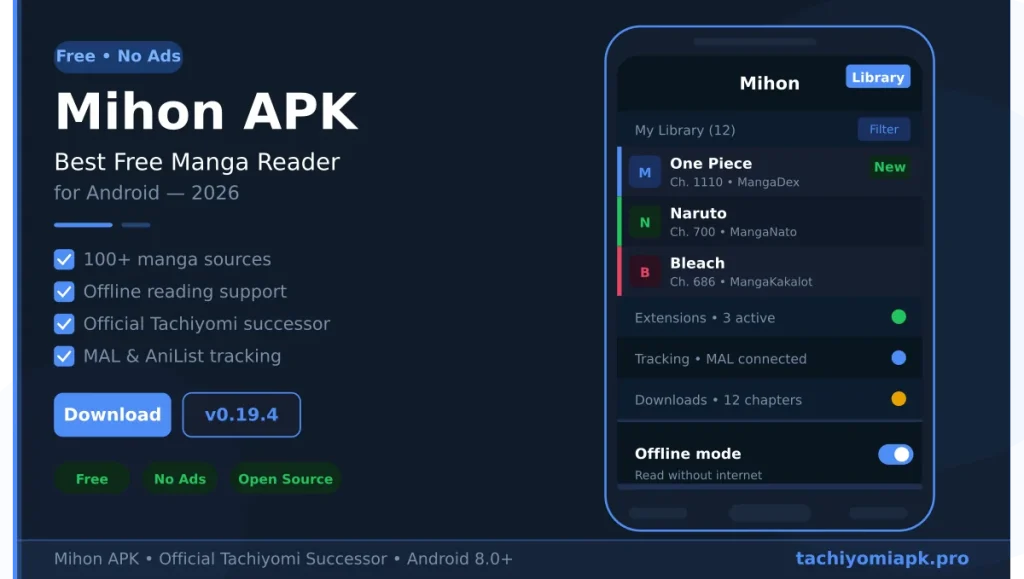
App Information
| Detail | Info |
|---|---|
| App Name | Mihon |
| Latest Version | v0.19.9 |
| Size | 61 MB |
| Android Required | Android 8.0 and above |
| Price | Free |
| Ads | None |
| Root Required | No |
| Available on Play Store | No |
Why Use Mihon APK?
Most manga apps make you compromise. Either you pay, or you deal with ads, or you get locked into one website with limited titles. Mihon does none of that. It is completely free. No subscription, no hidden charges, nothing. You get a clean reading experience with zero ads. And instead of being stuck with one source, you install extensions and access 100 plus manga sites all inside one app.
You can download chapters and read offline. You can connect it with MyAnimeList or AniList and your progress updates automatically. You can customize everything from themes to reading direction to page layout. Most apps charge money for half of this. Mihon gives you all of it for free.
100% free
No subscriptions. No hidden charges. it is completely free to download and use.
No ads
You get a clean reading experience. Unlike most manga apps, it is ad free and makes your reading experience smooth.
Multiple sources
No need for multiple apps. Add one extension in the apk and access MangaDex, Mangakakalot, MangaNato, all in one place.
Read offline
You can download chapters in advance and read them offline whenever you want.
Customizable
Change themes, reading direction, page layout, brightness, zoom, it gives you more than 20 settings.
Tracks progress
Connect apk Mihon with MyAnimeList or AniList and your reading progress updates automatically
Mihon APK Features
Let’s breakdown the features one by one so you know exactly what you are getting.
Massive Manga Library
The app uses extensions it doesn’t come with built-in manga. You add a repo (a list of sources), install the sources you want, and start reading. This gives you access to thousands of manga titles from the most popular series to rare older ones that are hard to find anywhere else.
Offline Reading
You can download any chapter inside the APK. Once it’s downloaded, you don’t need internet to read it. It works well when you are out of data or you have weak internet problem. Go to your Library -> Downloads to find everything you have saved.
Multiple Reading Modes
Lets you switch how you read. Left to right, right to left (like traditional Japanese manga), long strip (great for manhwa), or webtoon mode. You can also change page transitions, zoom behavior, and tap zones.
Custom Themes
The Mihon APK update v0.19.0 added two new themes “Nord and Catppuccin.” You can also pick from light or dark mode, and customize accent colors. If you like a clean, personalized look, you are gonna love this.
Tracking Support
It connects with popular anime and manga trackers like MyAnimeList, AniList, and Kitsu. Once you set it up, every chapter you read gets marked automatically. No manual updates needed.
Chapter Notifications
You can turn on notifications for any manga. You will get an alert whenever a new chapter is out. You will never miss an update from your favorite series.
Batch Manga Migration
Added in the Mihon APK latest version (v0.19.0), you can now migrate multiple manga at once from one source to another. Before this, you had to do it one by one manually. This is a huge time saver if you switch sources often.
User Notes
You can now add your own personal notes to any manga inside the APK. Have a plot idea? Save it or leave a note to remember where the story is going.
Everything you need to
read manga — free
Ad-free &
Open Source
No ads. No trackers. No paywalls. Mihon is completely free and open source — built by the community, for the community. Your reading experience stays clean and private, always.
100% Free ForeverThousands of Sources
Install extensions and access manga from hundreds of sites worldwide — all in one place.
Offline Reading
Download & read without internet.
Trackers
Sync with MAL & AniList.
Custom Reader
Gestures, themes, webtoon mode — your reader, your rules. Every setting tweaked for the perfect manga experience on any screen.
Backup & Restore
Library always safe.
Material You
Adapts to your style.
Battery Efficient
Read more, drain less.
How to Download the APK
Mihon APK is not on the Google Play Store. That is because APK based extensions don’t fit Google Play’s content policies. But downloading it is still very safe and simple.
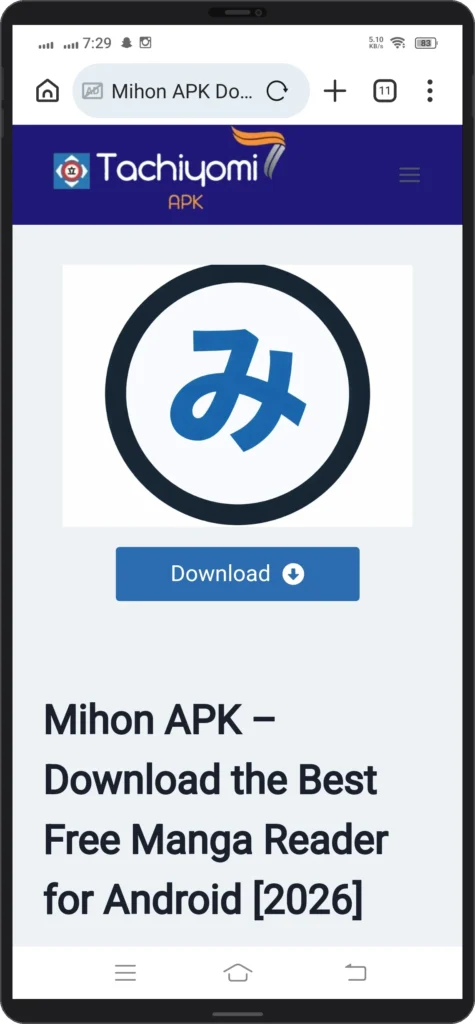
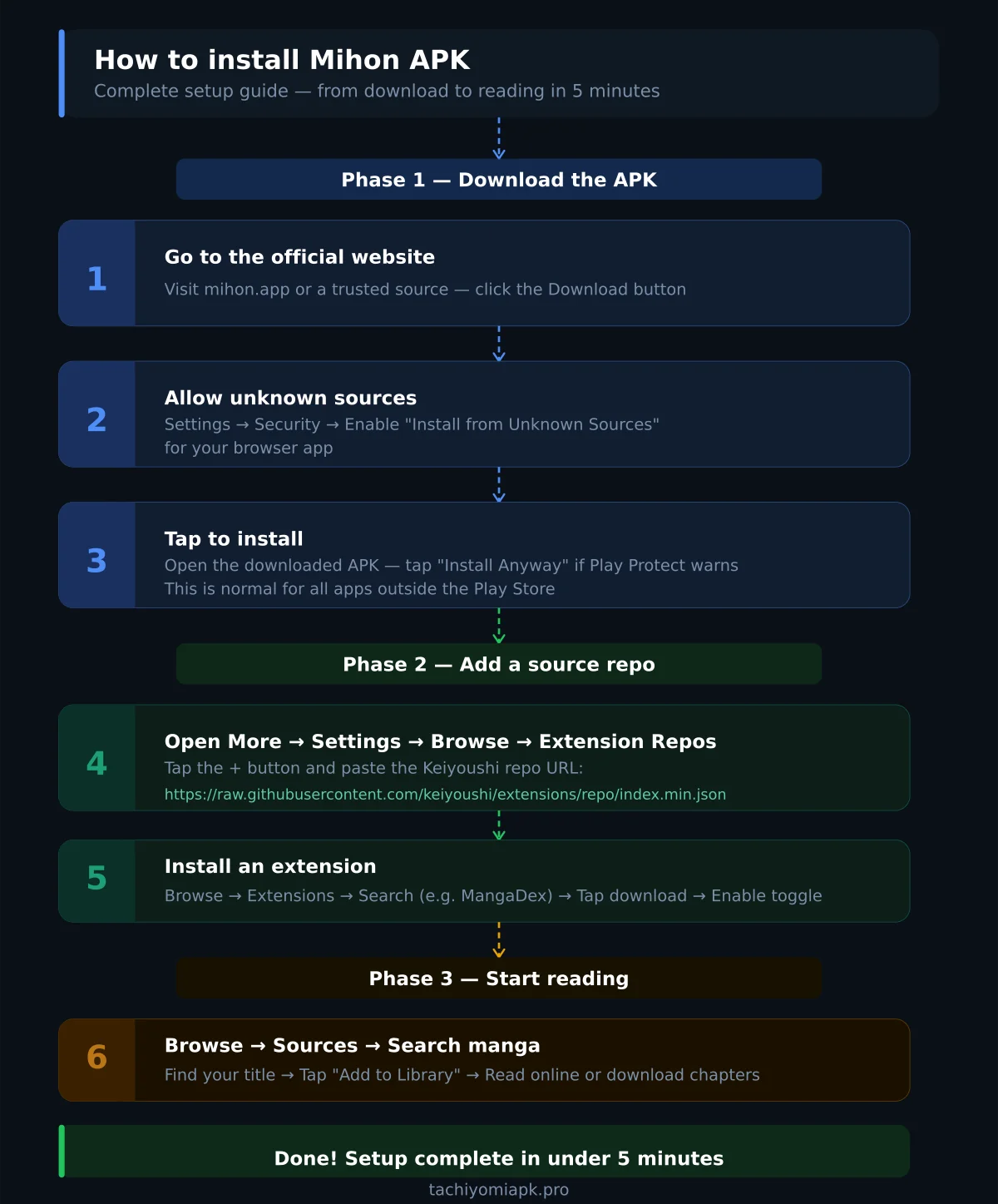
Step 1: Go to the official Mihon website at mihon.app or your any other trusted source and click Download. You will get the official APK.
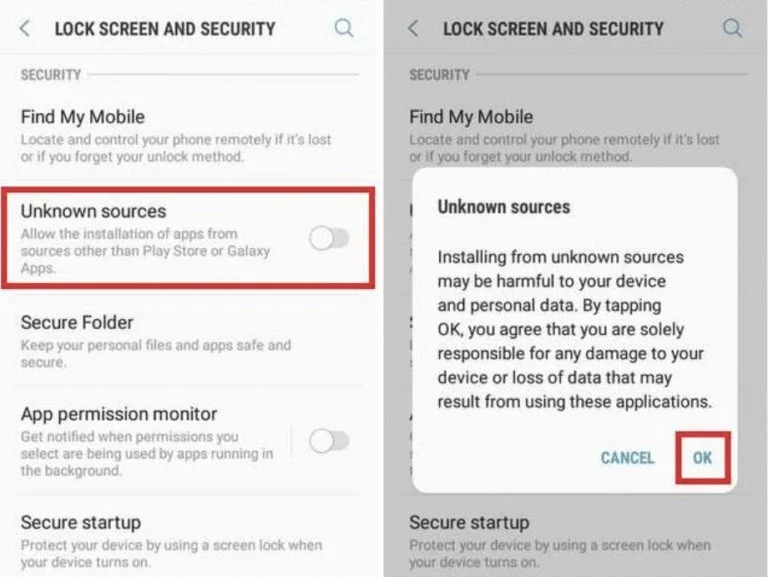
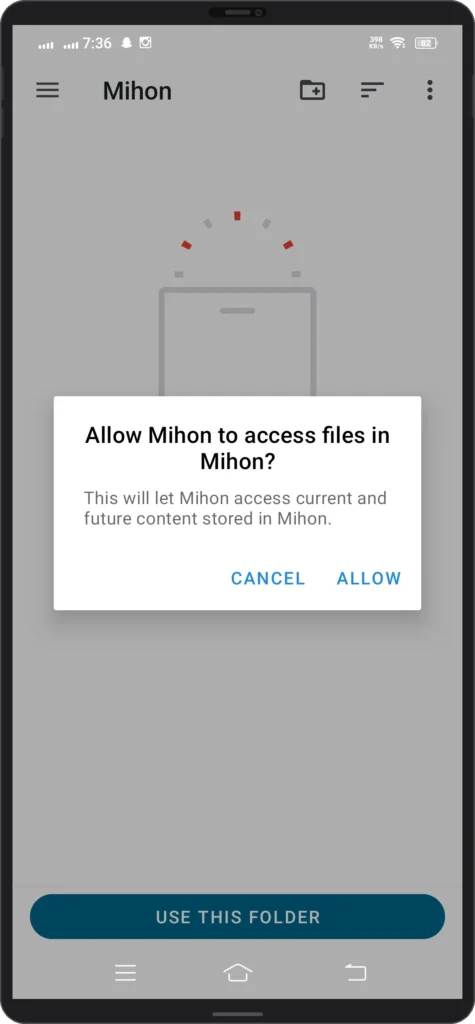
Step 2: Before you install it, go to your phone’s Settings → Security (or Privacy on some phones) and turn on Install from Unknown Sources for your browser app. This allows your phone to install apps that don’t come from the Play Store.
Step 3: Once the download is done, tap the file to install it.
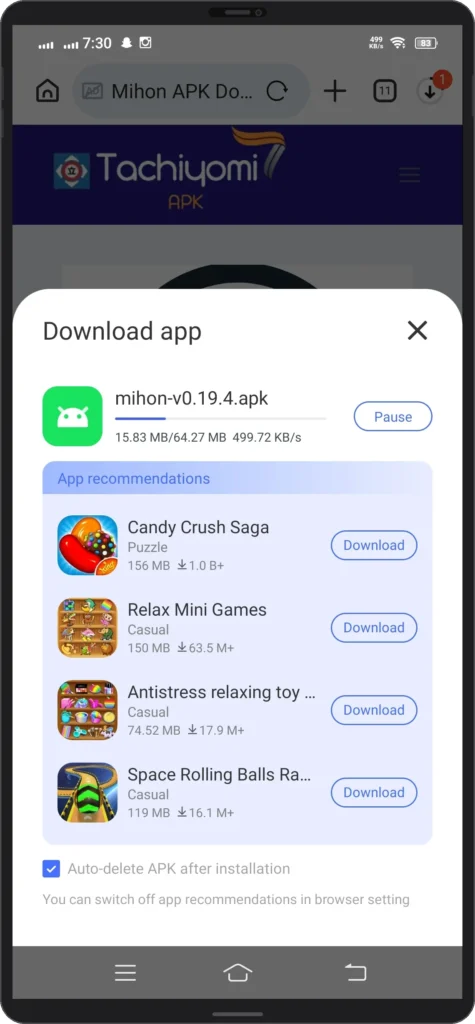
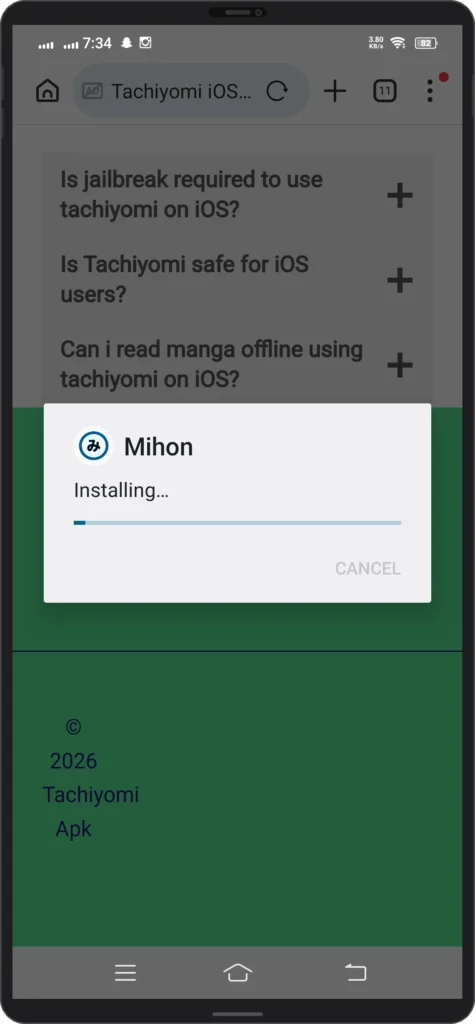
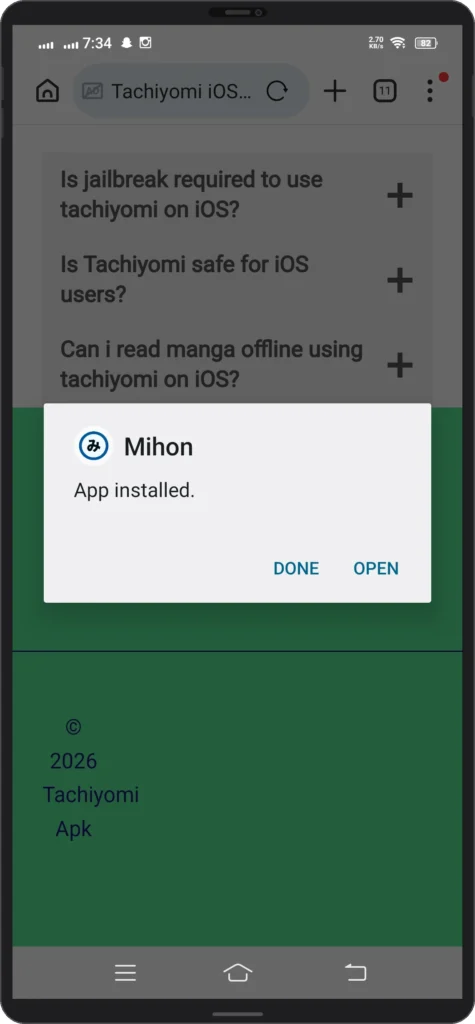
Step 4: You might see a Play Protect warning. click “Install Anyway.” This warning shows up for all apps outside the Play Store it doesn’t mean the app is harmful.
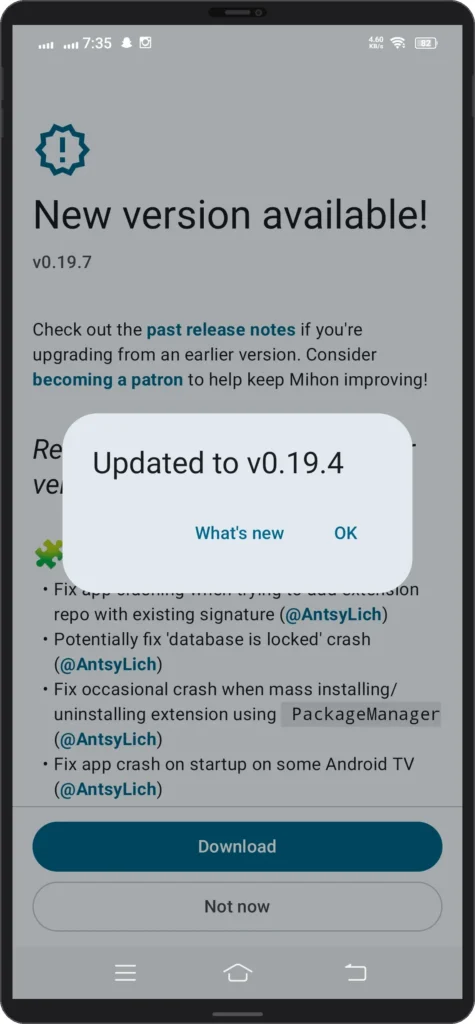
Step 5: Before proceeding it might show Latest version update Tap “ok” and you are good to go.
How to Install Mihon APK
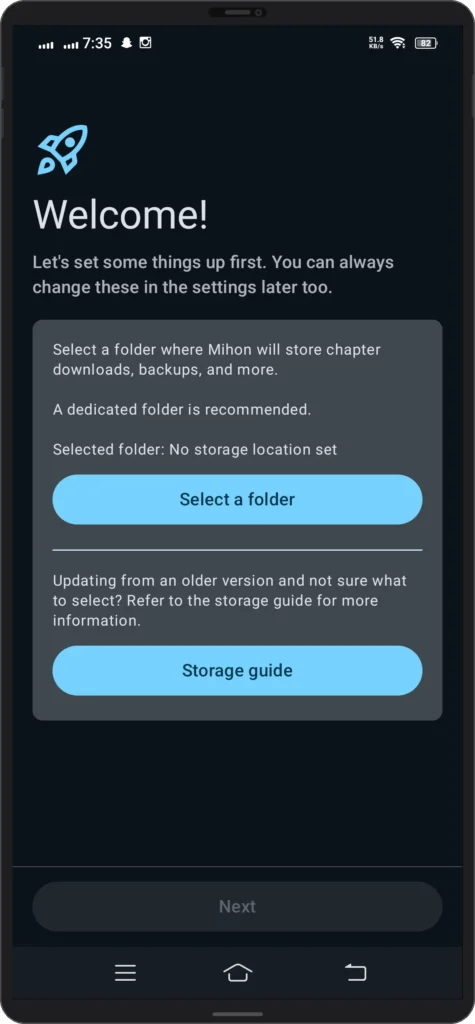
Once you install the APK, the app will be empty. Follow these steps to load your manga.
Add a Source Repo
- Go to More -> Settings -> Browse -> Extension Repos
- Tap + and paste this URL:
https://raw.githubusercontent.com/keiyoushi/extensions/repo/index.min.json - Tap Add and restart the app
Install an Extension
- Go to Browse -> Extensions
- Search for the source you want (e.g MangaDex)
- Tap the download icon
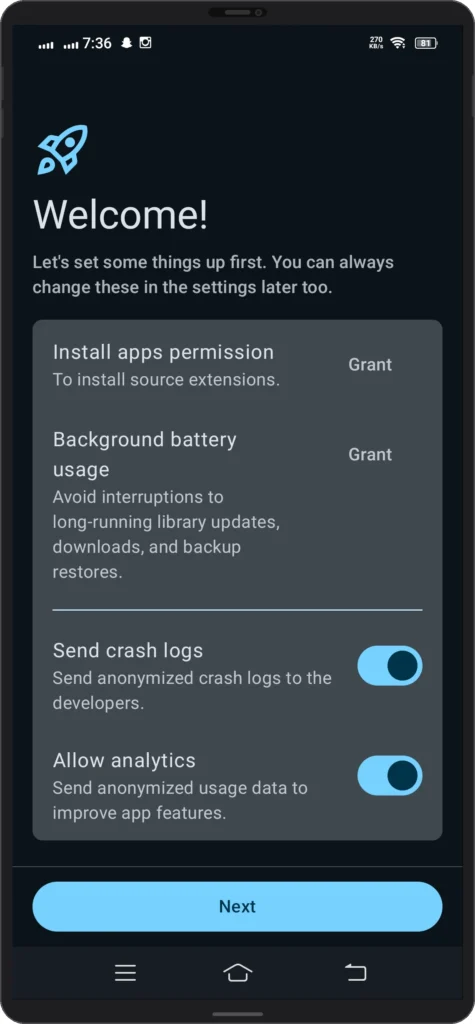
- Give permission when your phone asks to install
- Enable the extension by tapping the toggle
Start Reading
- Go to Browse -> Sources
- Tap your installed source
- Search for a manga
- Tap “Add to Library” and start reading
That’s it. The whole setup hardly takes 5 minutes.
Best Mihon Extensions in 2026
Not all extensions are equal. Some are fast and reliable. Others go down constantly. Here are the ones actually worth installing.
MangaDex
The best starting point for any new Mihon user. Largest library, most stable, and completely free. If a manga exists, MangaDex probably has it. Start here before installing anything else.
MangaKakalot
Good backup option when MangaDex is slow or missing a title. Updates fast on new chapters. Slightly less stable than MangaDex but still reliable.
MangaNato
Similar to MangaKakalot. Good for older titles that are harder to find elsewhere. Worth having as a third option.
Toonily
Best option for manhwa readers. If you read Korean webtoons, this is the one to install. Large library and fast updates.
MangaPlus by Shueisha
Official source for Shonen Jump titles. One Piece, Naruto, Dragon Ball, all here legally and for free. If you read mainstream shounen, install this one.
Webtoon
Official Webtoon source. Best for LINE Webtoon content. Free chapters update regularly.
Which Ones Should You Actually Install?
Start with MangaDex and one backup source. Installing too many extensions slows the app down and creates confusion. Add more only when you actually need them.
Keiyoushi Repo not working? How to Fix it
You added the repo but nothing shows up. Or the extensions list stays empty. This happens to a lot of people and the fix is usually simple.
1 – Check the URL
This is the most common reason. One wrong character and the repo will not load. Delete whatever you pasted and paste this URL again exactly.
https://raw.githubusercontent.com/keiyoushi/extensions/repo/index.min.json
No spaces before or after. No extra characters. Tap Add and restart the app.
2 – Restart the App
After adding the repo, Mihon needs a full restart. Do not just minimize it. Close it completely from your recent apps and open it again. Then check Extensions under Browse.
3 – Check Your Internet Connection
Mihon pulls the extension list from the internet the first time. If your connection is weak or unstable the list will not load. Switch to WiFi and try again.
4 – Clear App Cache
Go to your phone Settings, then Apps, then Mihon, then Storage, then Clear Cache. Open Mihon again and check if extensions load now.
5 – Update Mihon
Older versions sometimes have trouble loading repos. Download the latest version from mihon.app and install it on top of your existing app. Your library stays safe. If none of these work, the Keiyoushi repo itself might be temporarily down. Wait a few hours and try again.
What’s New in the Latest Version v0.19.9?
The Mihon latest version (v0.19.9) is the most stable release right now. Here’s what’s new compared to older versions:
- Faster page downloads, increased from 2 to 5 concurrent downloads
- Better WebView compatibility for sources that use Cloudflare
- Smarter download handling so duplicate chapters don’t cause errors
- Extension list now refreshes automatically when you add or remove a repo
- Various bug fixes and performance improvements
Is Mihon APK Safe?
Yes. Mihon is safe to download and use. The code is completely open source. Anyone can check it on GitHub right now. No hidden trackers, no malware, nothing suspicious. The team behind it is the same group that maintained Tachiyomi for years and was trusted by millions of users.
One thing worth knowing. Only download from the trusted sources. If you find a site offering “Mihon APK mod” or “cracked version” avoid it completely. The real Mihon is already 100 percent free with every feature unlocked. There is nothing to mod or crack. Those versions are fake and potentially harmful.
Troubleshooting
Mihon Not Working? Here Is How to Fix It
Most problems people run into with Mihon have simple fixes. Here are the most common ones.
Chapters Not Loading
This is almost always a source problem, not a Mihon problem. The website that extension pulls from is either down or slow. Wait a few minutes and try again. If it keeps happening, switch to a different source for that manga. MangaDex is the most reliable one.
Extension Not Installing
Go to your phone Settings, then Security, and make sure Install from Unknown Sources is turned on for Mihon. Without this permission the extension cannot install. If it is already on, try deleting the extension and reinstalling it.
App Crashing
Go to your phone Settings, then Apps, then Mihon, then Storage, then Clear Cache. Open Mihon again. This fixes most crash issues. If it still crashes, download the latest version from mihon.app and install it on top of your existing app.
Search Not Working
Some sources block search if you are not using WiFi or if your connection is weak. Switch to WiFi and try again. If search still fails on a specific source, that source might be temporarily down. Try a different one.
No Sources Showing Up
You probably need to add the Keiyoushi repo. Go to More, then Settings, then Browse, then Extension Repos and add this URL:
https://raw.githubusercontent.com/keiyoushi/extensions/repo/index.min.json
Restart the app and check Extensions again.
Manga Not Syncing With MyAnimeList
Go to More, then Settings, then Tracking. Disconnect your account and log back in. This fixes most sync issues.
Mihon vs Other Manga Apps
| Feature | Mihon APK | MangaToon | Shonen Jump |
|---|---|---|---|
| Free | Yes | Partial | Partial |
| Ads | None | Many | Some |
| Source variety | 100+ | Limited | Limited |
| Offline reading | Yes | Yes | No |
| Custom reading modes | Yes | No | No |
| Open source | Yes | No | No |
How to Save Your Mihon Library Before Switching Phones
Switching phones? Reinstalling the app? Your entire manga library does not have to disappear. Mihon has a built in backup system that saves everything.
What Gets Saved in a Backup
- Your full manga library
- Reading progress for every chapter
- Categories you created
- Download history
- Tracker connections like MyAnimeList and AniList
How to Create a Backup
Open Mihon. Go to More, then Settings, then Data and Storage, then Create Backup. Choose where you want to save the file. Your phone downloads folder works fine.
Mihon creates a single backup file. Keep it somewhere safe – Google Drive or your email works well.
How to Restore a Backup
Open Mihon on your new phone or fresh install. Go to More, then Settings, then Data and Storage, then Restore Backup. Find your backup file and tap it. Mihon restores everything automatically. Your library, progress, and categories come back exactly as you left them.
One Thing to Know
The backup saves your library and progress but not the downloaded chapter files themselves. You need to redownload chapters after restoring. Everything else comes back perfectly. Set a reminder to back up once a month. It takes 30 seconds and saves you a lot of frustration later.
Mihon APK on Android
It works on any Android phone running Android 8.0 or higher. That covers most phones made in the last 6 to 7 years. You don’t need to root your device. You don’t need any special setup. Just download, install, and read.
Mihon is Android only right now. Any app claiming to be Mihon for iOS is fake.
Conclusion
Mihon is the best free manga reader on Android right now. No ads, no paywalls, hundreds of sources, and a reading experience most paid apps cannot match. It started as a community project. The same people who built Tachiyomi refused to let it die. They rebuilt it, improved it, and kept it completely free. That is not something most apps do.
Download it, add the Keiyoushi repo, install your sources, and you will be reading in under 5 minutes. If you run into any problems, the troubleshooting section above has you covered. The manga community spent years building this. You just have to use it.
FAQ
Is Mihon free?
Yes. Completely free. No subscriptions, no ads, no hidden charges. It has always been free and will stay that way.
Q: Where can I get the official APK download?
A: You can download it from the official website and also from other trusted websites as well.
Q: Does it work on all Android phones?
A: Yes, as long as your phone runs Android 8.0 or above. No root required.
Q: Is there a Mihon APK mod version?
A: No. There is no need for a mod. The real APK is already 100% free with all features unlocked. Any “mod” version you find online is either fake or unsafe you better avoid them.
Q: How do I update the APK?
A: Visit the website you trust and download the latest version. Install it on top of your existing version don’t worry your library and settings stay safe.
Q: Why it is not on the Play Store?
A: APK based extensions conflict with Google Play’s content policies. The developers chose to keep it outside the Play Store to avoid any restrictions on what sources you can add.
Q: Can I import my old Tachiyomi library into Mihon APK?
A: Yes! Go to your old Tachiyomi backup file and restore it inside the mihon. Your library, reading progress, and categories can be transfer over perfectly.
Is Mihon a manga reader with no ads?
Yes. Mihon is completely ad free.
Is there a good Tachiyomi alternative in 2026?
Yes. Mihon is the official Tachiyomi alternative and the best one available.